WhatsApp ChromePlus Extension
WhatsApp ChromePlus Extension is a browser-based tool designed to streamline access to WhatsApp Messenger through the Chrome web browser. It serves as a direct launcher for the official WhatsApp web interface, enabling users to quickly open their messaging platform without manually navigating to the website. This utility is particularly useful for individuals who frequently use WhatsApp on desktop environments but prefer not to open a full browser window or switch between tabs. The extension is intended for casual users and professionals who rely on WhatsApp for personal or work-related communication.
Overview
The primary purpose of WhatsApp ChromePlus Extension is to simplify the process of accessing WhatsApp Messenger via a web browser. By providing a one-click launch feature, it reduces the time and steps required to reach the official WhatsApp web interface. The tool is not an official product from WhatsApp Inc., but rather a community-driven project created to enhance user convenience.
It does not modify or replace the core functionality of WhatsApp; instead, it acts as a shortcut to the existing web experience. The extension is ideal for users who value efficiency in their daily workflows and want a faster way to access their messages from a desktop environment. It is especially beneficial for those who use WhatsApp regularly for business coordination, family communication, or social networking.
The developer did not provide additional information about the project’s background or team structure.
Key Features & Capabilities
- One-Click Access to WhatsApp Web – Launches the official WhatsApp Messenger website directly from the browser toolbar, eliminating the need to type the URL or search for it.
- Browser Integration – Seamlessly integrates with the Chrome browser, appearing as a toolbar icon for quick access.
- Lightweight Design – With a file size of 2.3 MB, the extension is minimal in resource usage and does not significantly impact browser performance.
- Community-Driven Development – Open to user contributions, including bug reporting and feature suggestions, fostering collaborative improvement.
- Platform-Agnostic Access – Compatible with Windows, Mac, and Linux systems, ensuring broad accessibility across different desktop environments.
Users can benefit from this extension by reducing friction in their daily messaging routines. For example, a remote worker can quickly open WhatsApp to check urgent messages without switching to a dedicated browser window. Similarly, a student managing group projects can access the chat instantly after logging into their Chrome account. The extension does not include messaging features or data storage; it solely facilitates navigation to the official web platform.
User Interface, Workflow & Performance
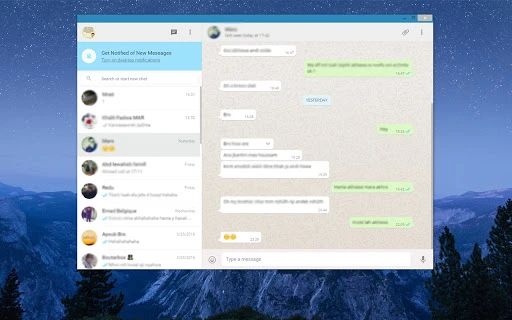
The user interface of WhatsApp ChromePlus Extension is minimal and functional, designed around a single icon in the Chrome toolbar. The icon typically displays the WhatsApp logo, making it instantly recognizable. Navigation is straightforward: clicking the icon opens the WhatsApp web interface in a new tab.
There are no additional menus, settings, or configuration options visible within the extension itself, which contributes to its simplicity. The workflow is optimized for speed and ease of use, aligning with the expectations of users seeking quick access without complexity. The developer did not specify resource usage details, but given its small size and lack of background processes, it is expected to operate with minimal CPU and RAM impact.
Stability is assumed based on standard Chrome extension behavior, though no formal performance benchmarks were provided.
Compatibility & System Requirements
WhatsApp ChromePlus Extension is compatible with Windows, Mac, and Linux operating systems, supporting the Chrome browser across all platforms. The software version is 1.0, with a file size of 2.3 MB, making it suitable for devices with limited storage space. The developer did not specify exact system requirements such as minimum RAM, processor speed, or disk space.
Compatibility information was partially provided, focusing on OS and browser support. No additional hardware dependencies were mentioned. Users are advised to ensure their Chrome browser is up to date to maintain proper functionality.
Pros and Cons
Pros
- Fast one-click access to WhatsApp Web
- Lightweight and efficient resource usage
- Available for multiple operating systems
- Community-driven development model encourages user involvement
- Simple, distraction-free interface
Cons
- Not an official WhatsApp product; may lack support from the parent company
- No advanced features beyond launching the web interface
- Dependent on stable internet connection and Chrome browser
- Limited to Chrome browser; not available for other browsers
- No built-in settings or customization options
FAQ Section
Is WhatsApp ChromePlus Extension safe to use?
The extension is not an official product from WhatsApp Inc. It only redirects users to the official WhatsApp web interface. As long as users access the platform through the official site, the risk is limited to standard web browsing. It does not collect or store personal data.
Can I use this extension on other browsers?
Currently, the extension is designed exclusively for the Chrome browser. There is no information available about support for Firefox, Edge, or other web browsers.
Does this extension require an internet connection?
Yes, an active internet connection is required to access WhatsApp Messenger through the extension, as it opens the official web version of the app.
Is the extension free to download and use?
Yes, the extension is available at no cost. It does not include in-app purchases or subscription models.
How can I contribute to the project?
Users can help by reporting bugs or suggesting improvements. The developer encourages community involvement through direct contact channels, though specific contribution guidelines were not provided.
Final Thoughts
WhatsApp ChromePlus Extension delivers a focused and efficient solution for users who frequently access WhatsApp on desktop. While it lacks advanced features, its core function—streamlining access to the official web platform—is executed effectively. The lightweight design, cross-platform availability, and community-driven nature make it a practical tool for individuals seeking convenience.
It is best suited for casual users, remote workers, and students who rely on WhatsApp for regular communication. Despite not being an official product, its simplicity and reliability make it a solid choice for quick access. Download WhatsApp ChromePlus Extension now.